Question randomization (beginner).
Objective
- Randomize the order of two specific questions (Q1 and Q2) within a group.
- Display randomly either Order A (Q1 then Q2) or Order B (Q2 then Q1) for each respondent.
Why use this method?
- For precise control: unlike the "Randomization group name" option which shuffles an entire set of questions, this method ensures that a specific subset follows a predefined and random order.
- For methodological validity: it eliminates position bias on key variables while respecting the questionnaire logic.
1. Create the "random draw" question
This question randomly draws a 1 or a 2 at the beginning of the questionnaire. No one sees it.
- Add a new group at the very top of the questionnaire. Suggested name: "Random draw".
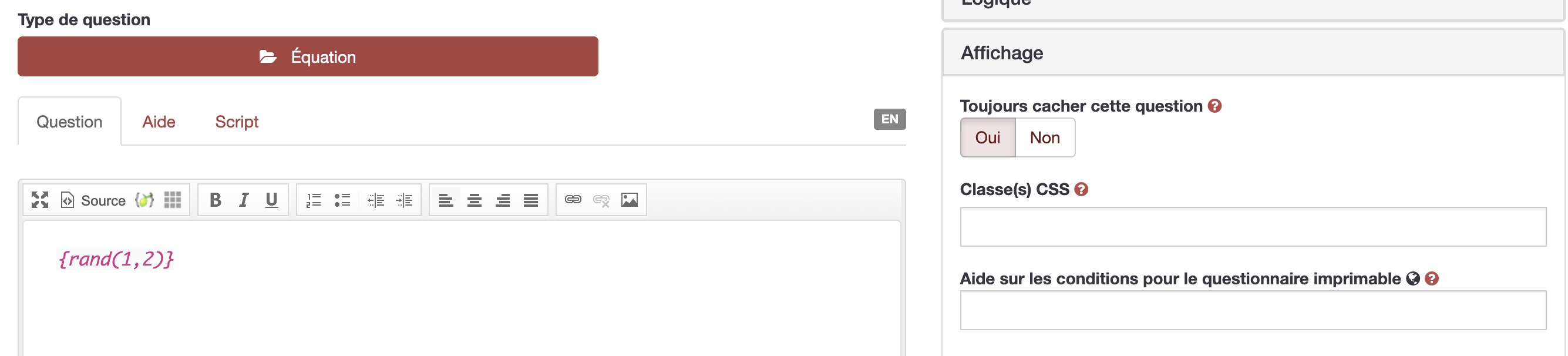
- Add an "Equation" type question. Suggested name:
Tirage. - In the "Equation" field (the large text area), simply enter:
{rand(1,2)}
- Go to the "Display" tab and set "Always hide this question" to "Yes".
2. Prepare the two versions of the questions
Since LimeSurvey does not yet allow shuffling two questions alone, you need to create two versions: Version A (order Q1 then Q2) and Version B (order Q2 then Q1).
- Duplicate
Q1and name the copy:Q1_A. - Duplicate
Q2and name the copy:Q2_A. - Duplicate
Q1and name the copy:Q1_B. - Duplicate
Q2and name the copy:Q2_B. - Place the questions in this order within the group:
Q1_AQ2_AQ2_BQ1_B
Note: You are preparing two versions of the mini-block: a normal version and an inverted version.
3. Define display conditions
This step tells LimeSurvey when to display which version. If the draw equals 1, Q1 is shown first then Q2. If the draw equals 2, Q2 is shown first then Q1.
Version A (normal order)
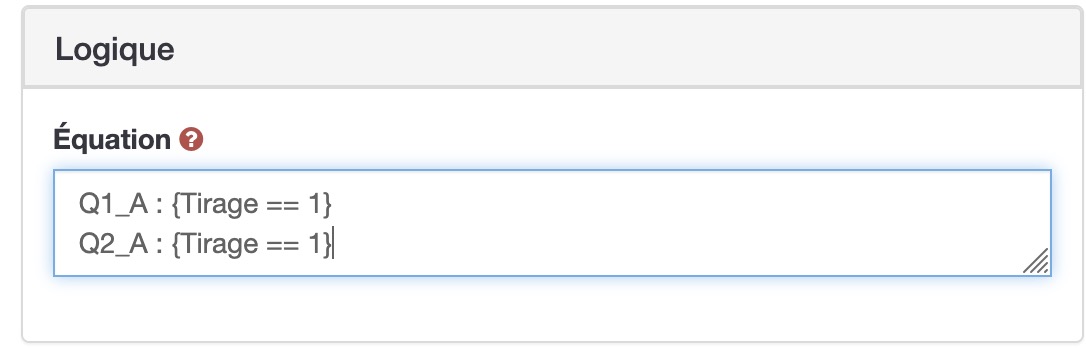
For each Version A question, go to the "Logic" tab and enter in the "Condition" field:
Q1_A:{Tirage == 1}Q2_A:{Tirage == 1}
Version B (inverted order)
For each Version B question, go to the "Logic" tab and enter in the "Condition" field:
Q2_B:{Tirage == 2}Q1_B:{Tirage == 2}
4. Best practices
- Test your survey: use the preview and reload the page several times to verify that the order alternates randomly.
- Merge data during analysis: responses from
Q1_AandQ1_Bcorrespond to the same question. Remember to group them in your analysis file.
Need help?
For any difficulty, contact the LimeSurvey team via: Cellule.Web@ulb.be